Цель проекта — расширение и преобразование ранее созданной коллекции кружек в стартап-магазин керамики, включая разработку айдентики, организации производства и дизайна магазинов с помощью нейросети.
О ПРОЕКТЕ
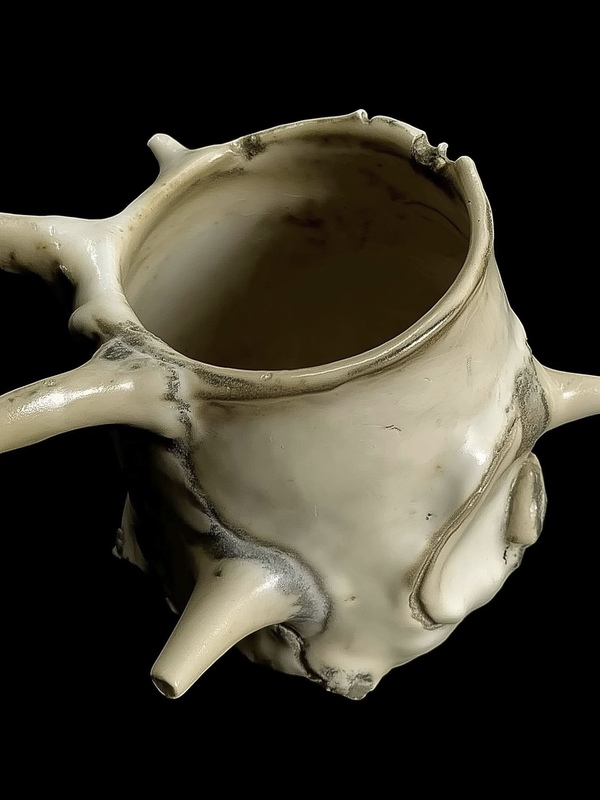
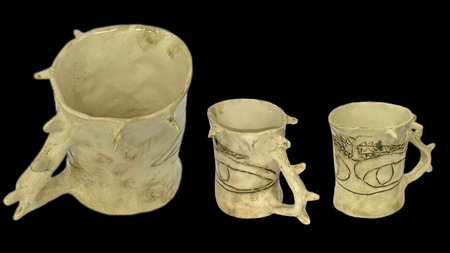
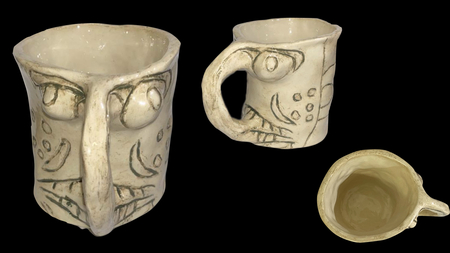
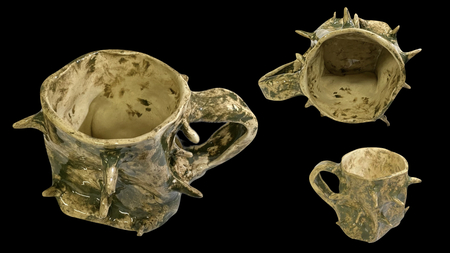
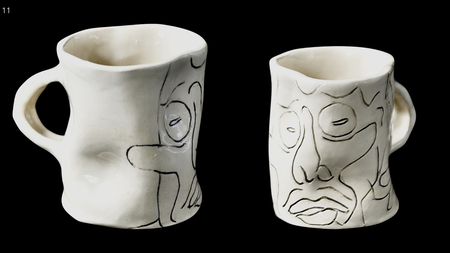
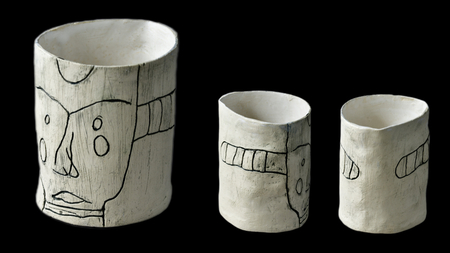
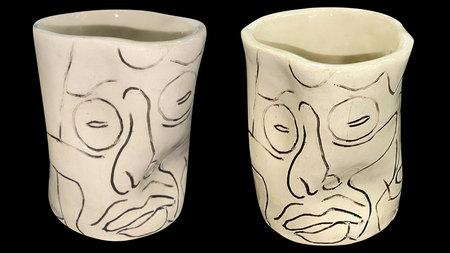
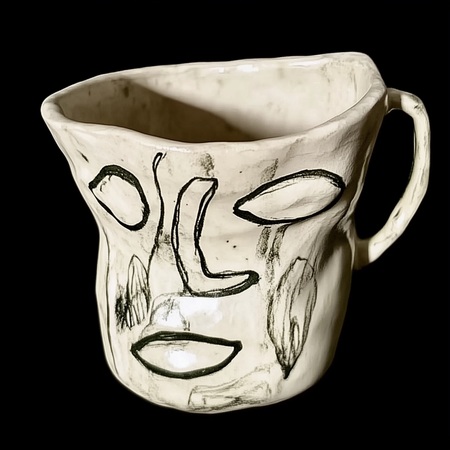
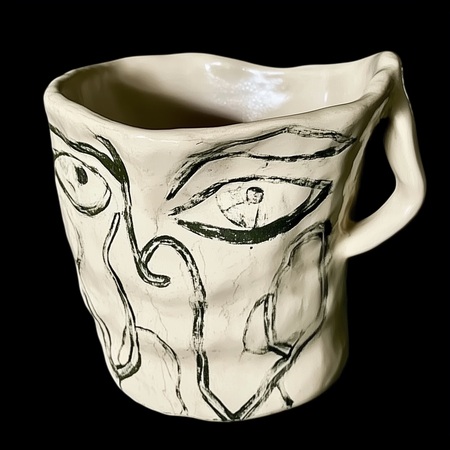
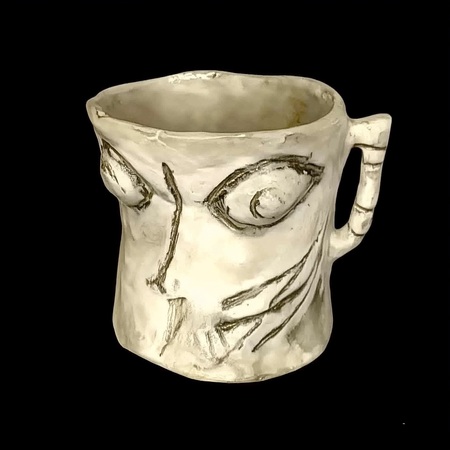
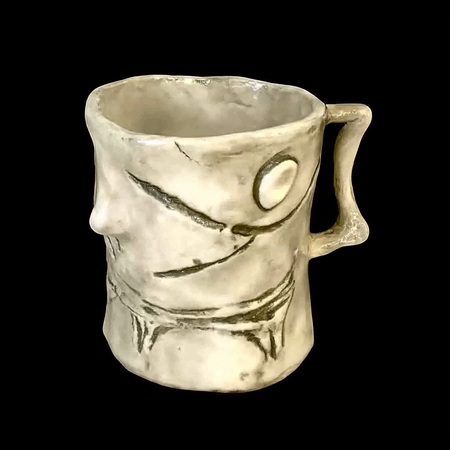
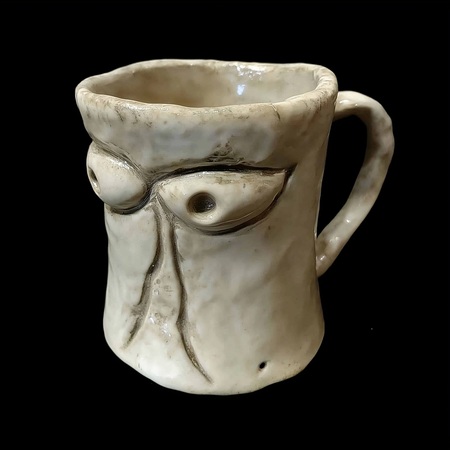
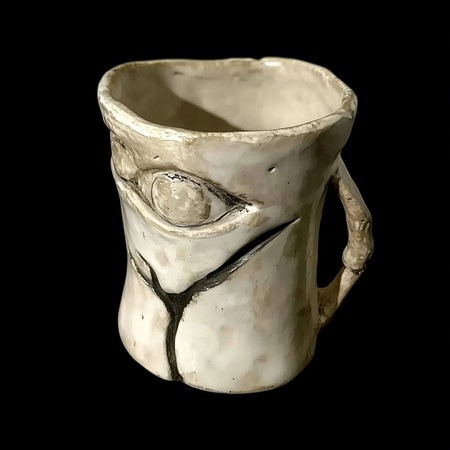
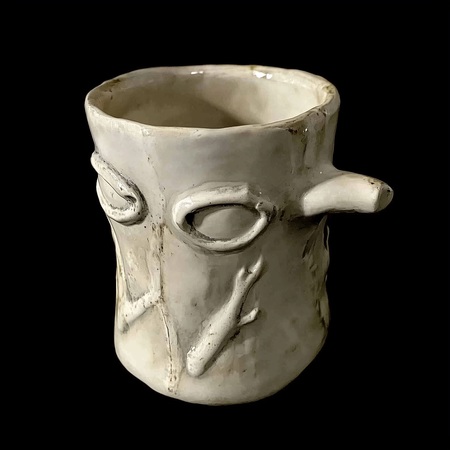
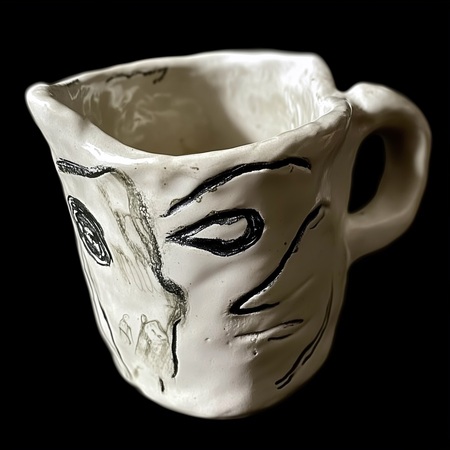
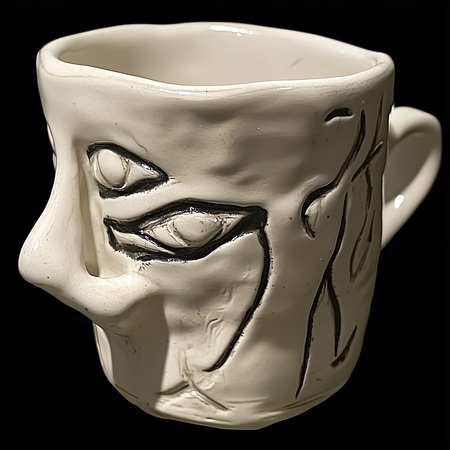
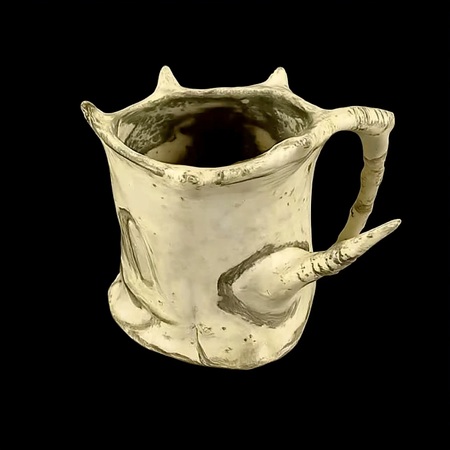
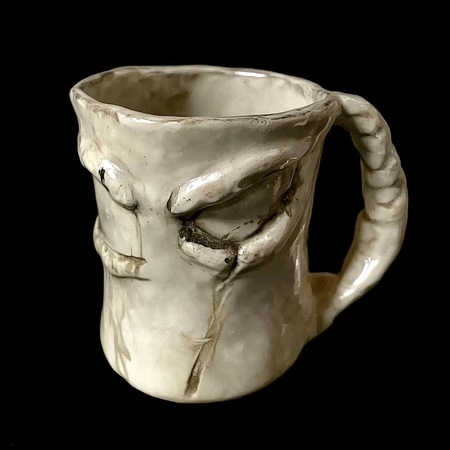
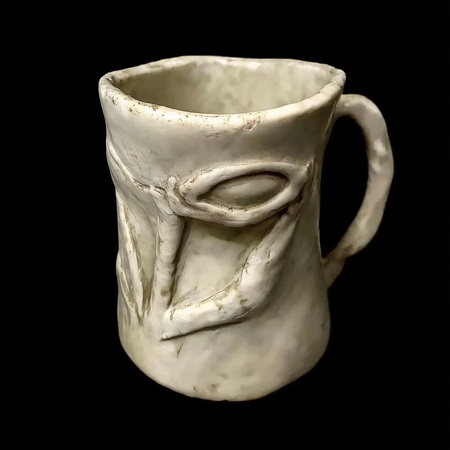
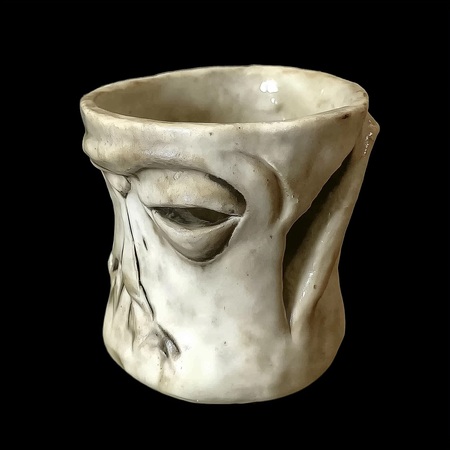
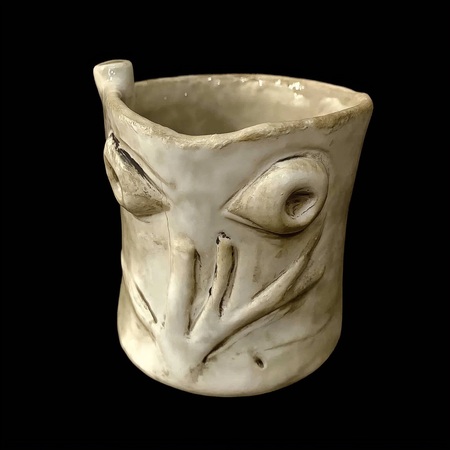
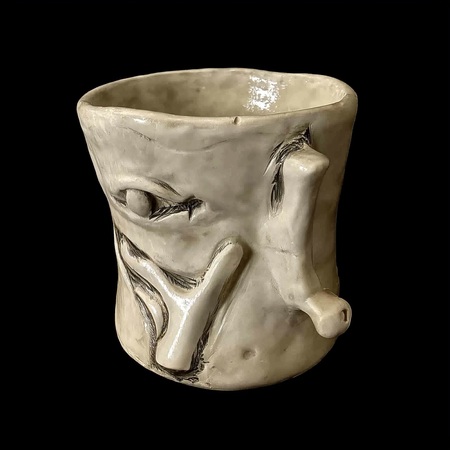
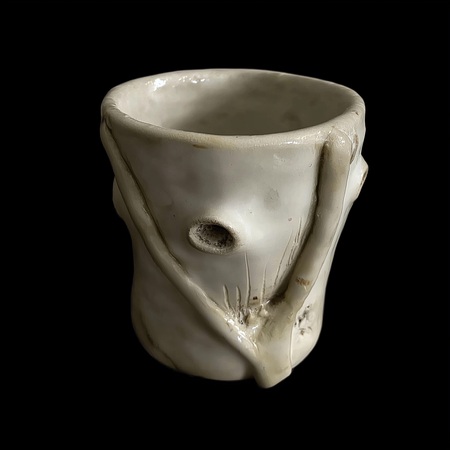
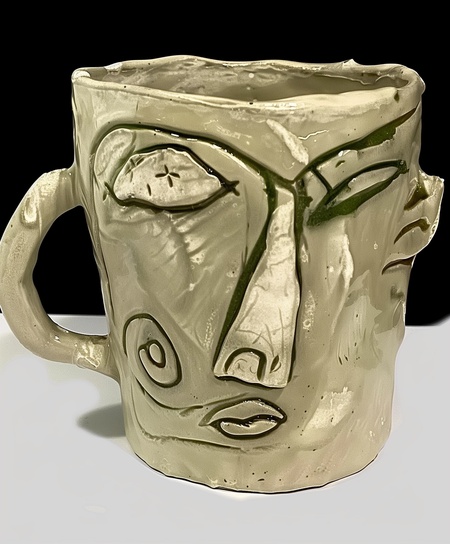
«The thing collection» — это коллекция кружек, каждая из которых имеет своё название, форму и рисунок. Вдохновением для коллекции стало изучение масок и их производства.
Название вдохновлено фильмом «The Thing», образы лиц и общая атмосфера тоже во многом берут своё начало из этого фильма.
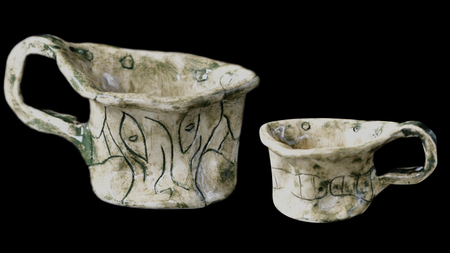
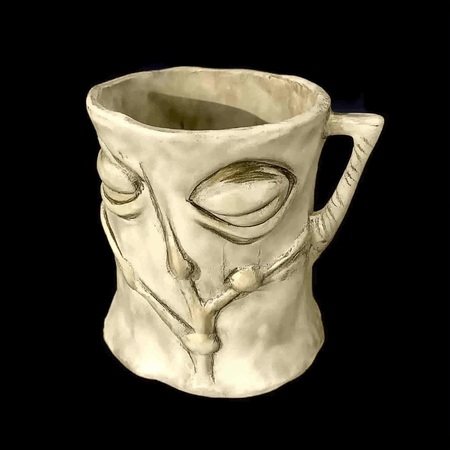
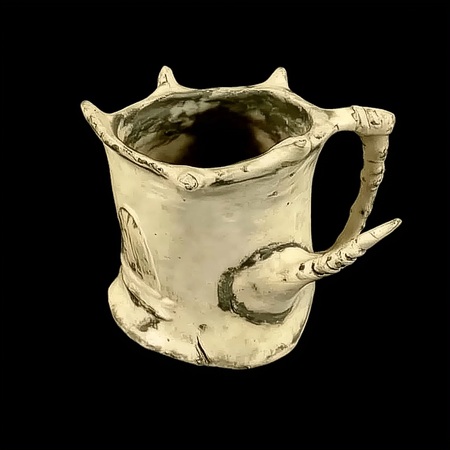
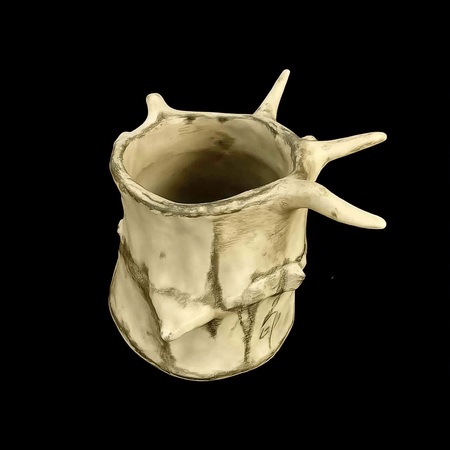
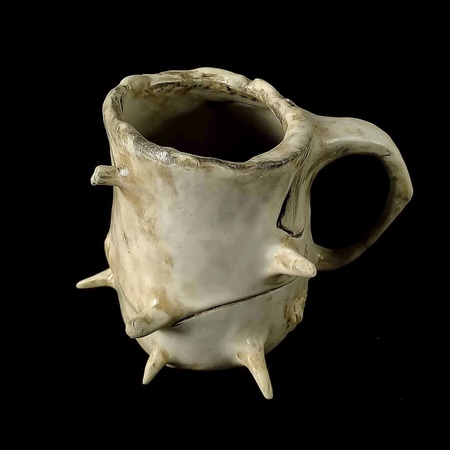
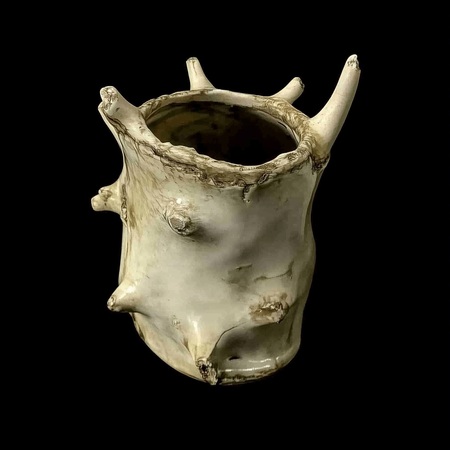
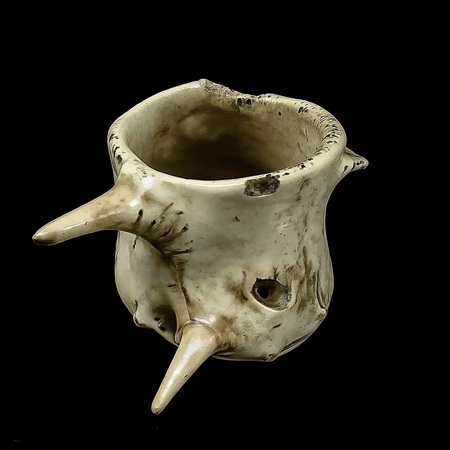
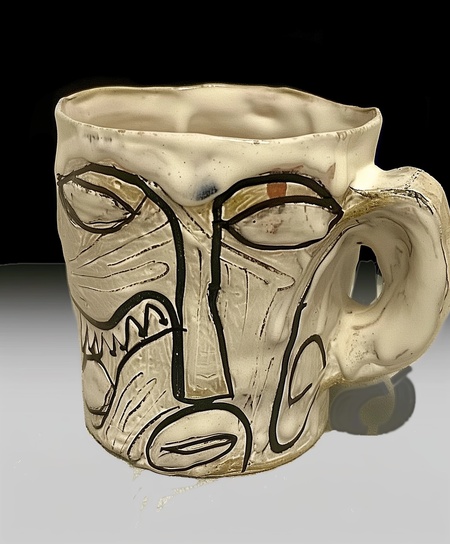
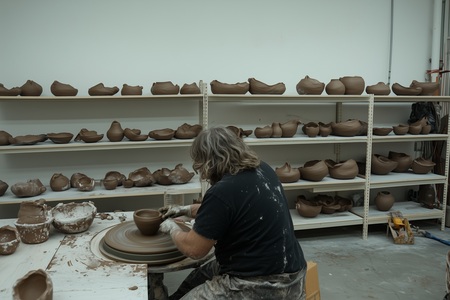
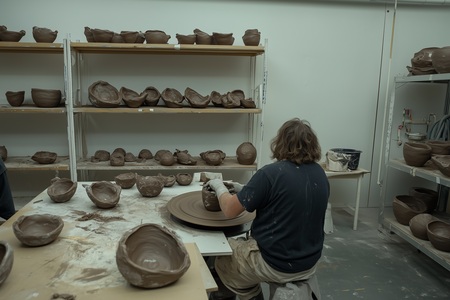
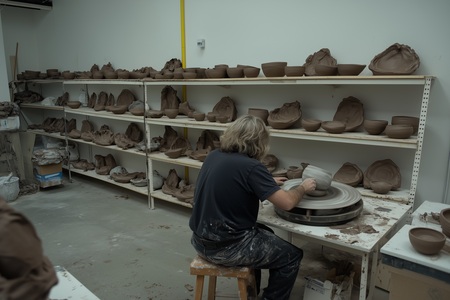
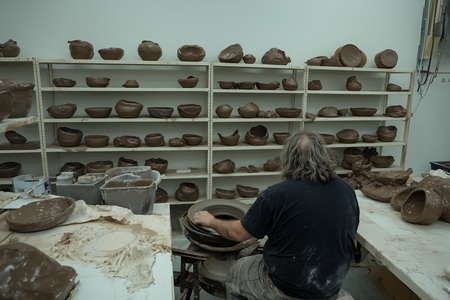
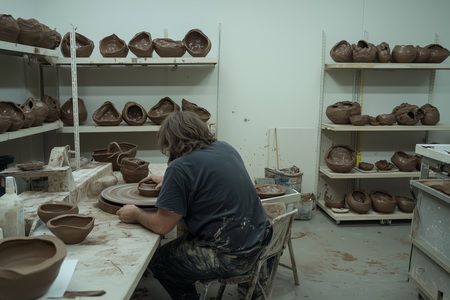
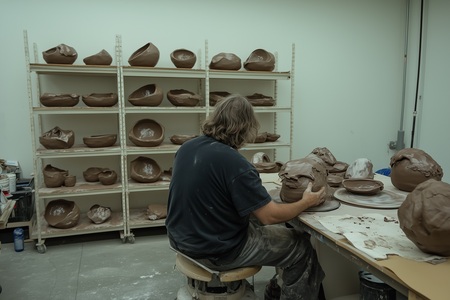
В основу стартапа для бренда «Your cup» легла коллекция кружек «The thing collection», дополненная вторым изданием, созданным при помощи нейросети. Для бренда была разработана айдентика и место производства, а также дизайн двух магазинов керамики, где будут продаваться эта и другие коллекции.
«Your cup» — бренд, производящий оригинальные кружки ручной работы. На нашем производстве работают местные жители города, ранее занимавшиеся творчеством и искусством. Также «Your cup» тесно сотрудничает с практикующими художниками и периодически выпускает коллекции в коллаборации с разными деятелями искусства.
«Your cup» — это возможность купить оригинальную кружку ручной работы, созданную в единственном экземпляре, и сделать вашу жизнь красочнее даже во время кофе-брейка.
Генерация изображений выполнена в Midjourney. Автором использовались функции написания текстового промпта, использования референсов, создания вариаций (vary subtle, vary strong), редактирования части изображения (edit), а также функция remix.
https://www.midjourney.com/explore?tab=top
.
https://portfolio.hse.ru/Project/226235
(ссылка на проект в старом портфолио)
THE THING COLLECTION //1st edition//
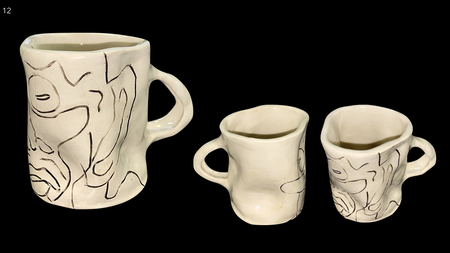
THE THING COLLECTION //2nd edition//
A hand made sloppily made mug. (изображения новых версий кружек были созданы с использованием референсов уже созданных ранее кружек) (+ blend) (а также функция вариации vary strong, remix)
Софья Половкова создала стартап-магазин керамики «Your Cup» на основе коллекции кружек «The Thing Collection». Проект включает разработку айдентики, дизайн магазинов и использование нейросети для создания второго издания коллекции.
Ольга Зубкова создала концепцию кафе "GOOSEMANIA", вдохновлённого природой и домашним уютом. Проект включает в себя минималистичные дизайны постеров, логотип и интерьеры с гусём, выполненные в цветах зелёного и белого.
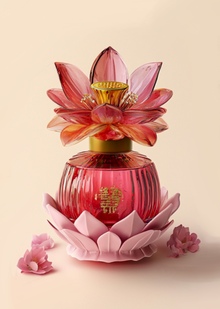
Автор создала описание женской парфюмерии YEOZA TA HANA с тремя ароматами, вдохновлёнными азиатскими цветами и традициями. Проект включает визуальные элементы, разработанные с использованием нейросети Midjourney, включая логотип, паттерны и рекламные постеры в стиле традиционного китайского искусства.
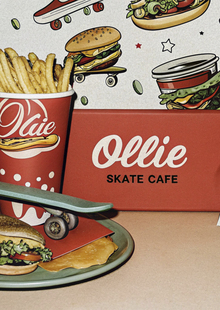
Автор создала скейт-кафе "OLLIE" с уникальным дизайном интерьера, упаковок и рекламы, подчеркивающим стиль скейтбординга и уличную культуру. Проект включает в себя разработку логотипа, цветовой палитры и элементов визуального стиля, созданных с использованием нейросетей Leonardo.Ai и Recraft.
Екатерина Воронцова создала музыкальный альбом с атмосферой жуткого леса, включающий три трека и авторские иллюстрации. Проект включает визуальные образы, сгенерированные с помощью нейросетей KREA, Stable Diffusion XL и Leonardo Ai, на основе текстовых описаний к трекам.
hsespacecreative.deziiign
The digital ecosystem of HSE Institute for Creative Industries Development, combining a professional portfolio for students, graduates and employees of the bachelor’s and master’s degree programmes «Management in Creative Industries», an online educational platform, and a hub that aggregates international competitions in creative industries, among other digital services for creatives.
... Show more
We use cookies to improve the operation of the HSE website and to enhance its usability. More detailed information on the use of cookies can be fou...
Show more
Press space bar to start a drag.
When dragging you can use the arrow keys to move the item around and escape to cancel.
Some screen readers may require you to be in focus mode or to use your pass through key
Press space bar to start a drag.
When dragging you can use the arrow keys to move the item around and escape to cancel.
Some screen readers may require you to be in focus mode or to use your pass through key
Press space bar to start a drag.
When dragging you can use the arrow keys to move the item around and escape to cancel.
Some screen readers may require you to be in focus mode or to use your pass through key
Press space bar to start a drag.
When dragging you can use the arrow keys to move the item around and escape to cancel.
Some screen readers may require you to be in focus mode or to use your pass through key
Press space bar to start a drag.
When dragging you can use the arrow keys to move the item around and escape to cancel.
Some screen readers may require you to be in focus mode or to use your pass through key
Press space bar to start a drag.
When dragging you can use the arrow keys to move the item around and escape to cancel.
Some screen readers may require you to be in focus mode or to use your pass through key
Press space bar to start a drag.
When dragging you can use the arrow keys to move the item around and escape to cancel.
Some screen readers may require you to be in focus mode or to use your pass through key
Press space bar to start a drag.
When dragging you can use the arrow keys to move the item around and escape to cancel.
Some screen readers may require you to be in focus mode or to use your pass through key
Press space bar to start a drag.
When dragging you can use the arrow keys to move the item around and escape to cancel.
Some screen readers may require you to be in focus mode or to use your pass through key
Press space bar to start a drag.
When dragging you can use the arrow keys to move the item around and escape to cancel.
Some screen readers may require you to be in focus mode or to use your pass through key
Press space bar to start a drag.
When dragging you can use the arrow keys to move the item around and escape to cancel.
Some screen readers may require you to be in focus mode or to use your pass through key
Press space bar to start a drag.
When dragging you can use the arrow keys to move the item around and escape to cancel.
Some screen readers may require you to be in focus mode or to use your pass through key
Press space bar to start a drag.
When dragging you can use the arrow keys to move the item around and escape to cancel.
Some screen readers may require you to be in focus mode or to use your pass through key
Press space bar to start a drag.
When dragging you can use the arrow keys to move the item around and escape to cancel.
Some screen readers may require you to be in focus mode or to use your pass through key
Press space bar to start a drag.
When dragging you can use the arrow keys to move the item around and escape to cancel.
Some screen readers may require you to be in focus mode or to use your pass through key
Press space bar to start a drag.
When dragging you can use the arrow keys to move the item around and escape to cancel.
Some screen readers may require you to be in focus mode or to use your pass through key
Press space bar to start a drag.
When dragging you can use the arrow keys to move the item around and escape to cancel.
Some screen readers may require you to be in focus mode or to use your pass through key
Press space bar to start a drag.
When dragging you can use the arrow keys to move the item around and escape to cancel.
Some screen readers may require you to be in focus mode or to use your pass through key
Press space bar to start a drag.
When dragging you can use the arrow keys to move the item around and escape to cancel.
Some screen readers may require you to be in focus mode or to use your pass through key