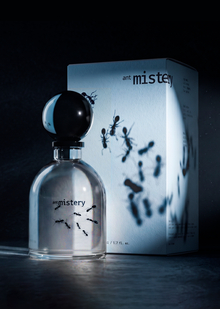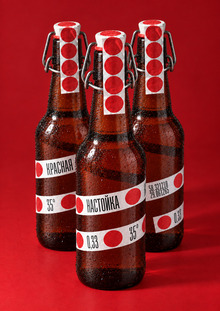
01 / Familiar View. Behind the Scenes
«Familiar Sight» is a media outlet focused on signage, menus, packaging, and public notices. We help aspiring designers and observant city dwellers make sense of everyday objects.Each post features one breakdown and a small assignment. The platform is VKontakte, with two posts per week.This is a project detailing the editorial process—from initial discovery to publication. Integrations have not been connected yet.
02 / Where Do We Get Material
YOUR OBSERVATIONS Photos of signage, price tags, menus, and directional signs. Record the date and context of the shoot. This is the primary source of examples.
READERS Photos and questions from community posts. We confirm authorship and permission for publication.
PRIMARY SOURCES Websites of authors, studios, and manufacturers—for verifying authorship and project descriptions. We save the link to the specific case study.
PROFESSIONAL TEXTS Artemy Lebedev’s «Manual»: https://www.artlebedev.ru/kovodstvo/sections/ Typography, navigation, and visual communication. We separate the author’s recommendations from factual data.
We do not consider AI a source of facts. Generated examples are labeled as educational materials.
03 / From Discovery to Publication
PERSON · Collection and Verification Selects photo → verifies source, context, and resolution → fills out card. ↓ TABLE · Storage ID · Topic · File · Source · Author · Resolution · Observation · Status · Publish Date. ↓ AI · Preparation Based on the verified card, suggests a category, a short text, and a reader assignment. ↓ PERSON · Editing Compares the text with the photo and source. Corrects and approves. If there is insufficient data, it returns the item for collection. ↓ PLANNER · Publishing Publishes only the approved version at the scheduled time. Saves a link to the post. ↓ PERSON · Feedback Reads comments. Returns useful questions to the topic list.
Card statuses: found → verified → draft → approved → published.
04 / Guidelines for Assistants
TABLE + FIELD CHECK One row—one material. If a source, file, or usage status is missing, mark it «needs verification.» Do not pass such material further.AI EDITOR Input: photo, verified observation, section, and links. Output: headline, 400–700 characters, and one prompt. One idea, simple words. Do not fabricate authorship, dates, or figures. Concerns should be noted separately for the editor.IMAGE GENERATOR · WHEN NECESSARY After preparing the text, it creates fictitious educational comparisons. For a «before/after» pair, change only one detail. Light background, blue and lime green accents. Do not replace documentary photos with generated imagery. A person must verify the result and add the caption: «Educational example, created with AI.»PUBLICATION SCHEDULER Accept only the «approved» status and the assigned time. Use the final text and image without alteration. If an error occurs, stop the submission and notify the editor. Before retrying, check to see if the post has appeared. Upon success, record the link and the «published» status.
05 / One Find—One Material
FINDING The opening time is lost amidst large headlines in the announcement.
PREPARATION The author records the observation. The AI suggests the theme: «What did you read first?» and the task—to isolate only the opening time. If necessary, the generator creates a conditional pair of mockups.
REVIEW The editor fact-checks, verifies that only one technique has been changed in the comparison, adds labeling, and approves the material.
PUBLICATION The post goes into the schedule. Reader questions become the topics for subsequent analyses.
AI assists in preparing the material. The author is responsible for accuracy, selection, and publication.
Editorial Process Project · Homework #3 The text was prepared with the help of ChatGPT. The cover was created using AI.