MEDIA CONCEPT: «AI IN DESIGN»
Media on the practical application of neural networks in professional design work. The project demonstrates how to use AI to solve real-world problems in graphic design, UX/UI, and interior design.
At the core of this media is the connection between the tool, the task, and the outcome. Instead of general overviews of neural networks, readers receive clear instructions, workflow breakdowns, and real-world examples of AI application.
Target Audience: Beginning and practicing designers, freelancers, and anyone new to mastering AI.
Core Value: To help designers understand which neural networks to use, how to integrate them into their workflow, and how to achieve high-quality results while maintaining a professional approach.
SEMESTER THEME PLAN
Month 1. AI in the Designer’s Workflow Topics: Neural network capabilities, automation tasks, results evaluation. Objective: To introduce students to AI. Outcome: The reader understands where and how to begin using AI.Month 2. Prompts and Result Control Topics: Query structure, composition, color, light. Objective: To teach how to write precise prompts. Outcome: More predictable and higher-quality generations.Month 3. From Idea to Visual Concept Topics: Idea generation, mood boards, color palettes, and references. Objective: To demonstrate the application of AI during the concept development stage. Outcome: A complete visual direction for the project.Month 4. AI in Graphic Design Topics: Posters, advertising visuals, image series, and layout work. Objective: To apply AI to real-world design problems. Outcome: Visual materials ready for a full mock-up.Month 5. Limitations and Creative Oversight Topics: Generation errors, typography, authorship, and content rights. Objective: To teach critical evaluation of AI outputs. Outcome: The ability to review and refine materials independently.Month 6. A Complete Project with AI Topics: Concept development, generation, selection, and layout refinement. Objective: To integrate acquired knowledge through practical application. Outcome: A finished design project utilizing AI with conscious intention.
TEN CONTENT EXAMPLES FOR THE «AI IN DESIGN» MEDIA SERIES
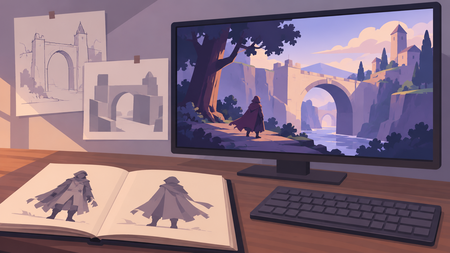
1. How to Start Working with AI in Design Format: Telegram post. AI networks assist in ideation, image generation, and testing various visual solutions. You should start with a specific task rather than choosing a trendy tool. Key steps: define the problem → select the tool → compare results → refine the best option.
publication example
2. How to write a good prompt Format: an instruction for Telegram. Comparison of two prompts for creating a poster. — Simple: «Create a poster for a music festival.» — Detailed: «Create a visual foundation for an electronic music festival poster. Dark blue and purple palette, luminous shapes, expressive composition, vertical format, no text.» The second prompt specifies the style, color, and composition more accurately. Conclusion: a good prompt describes the task, the subject, the style, and the constraints.
Publication example
3. One Brief—Three Visual Concepts Format: Instagram carousel. Objective: Develop a brand style for natural cosmetics. Three directions: natural aesthetic, laboratory style, and minimalism. The neural network helps compare the options, and the designer selects the direction based on the target audience and brand positioning.
publication example
4. From Generation to Finished Poster Format: A step-by-step breakdown for Telegram.
- Define the objective and target audience.
- Generate several image options.
- Select the most suitable one.
- Add text and assemble the layout.
- Review the composition and readability. Conclusion: Generation is only one stage of the design creation process.
Publication example
5. Why AI Makes Typography Errors Format: Visual breakdown for Instagram. Neural networks can distort letters and create unreadable text. Therefore, it is best to use images as a visual base and add text in a graphic design editor. Takeaway: The designer is responsible for readability, hierarchy, and information accuracy.
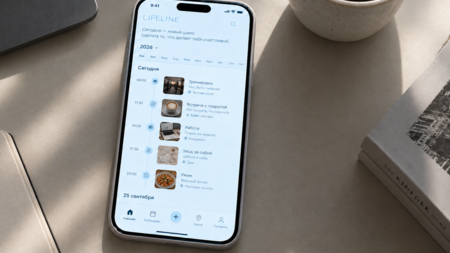
6. AI in UX/UI: From Concept to Interface Format: practical post for Telegram. Task: develop a screen for a task management application. AI assists in finding design options. The designer selects a suitable option, assembles the interface, and verifies navigation, readability, and usability. Conclusion: an engaging interface must not only be aesthetically pleasing but also intuitive for the user.
Publication example
7. AI in Interior Design Format: Instagram carousel.Task: To find a style for a small living room.Using AI, three directions are compared: warm minimalism, modern classicism, and Japanese minimalism.The resulting images help select a concept, but the room dimensions, layout, and furniture construction must be verified separately.
Article Example
8. How to Choose an AI for Your Task Format: Comparison card for Telegram. When selecting a tool, it is important to consider the goal of the work: — Idea Generation — a variety of visual options. — Image Generation — quality and composition control. — Working with References — preserving necessary details. — Interface Creation — ease of refining the result. You should also check the cost, available features, and terms of use. Conclusion: the tool is chosen based on the task, not on popularity.
Publication Example
9. How to Fix a Failed Generation Format: Video for Instagram Reels, 25–30 seconds. Script: — 0–5 sec. Show an image with a poor composition. — 5–10 sec. Point out the issues: cluttered background, misplaced object, insufficient space for a title. — 10–20 sec. Refine the prompt: «Keep the object and the color palette, simplify the background, leave space for a title.» — 20–30 sec. Compare the results.
Publication example
10. What AI Did vs. What the Designer Did Format: Video case study for YouTube and a short version for Instagram. Task: Design a poster for a music event. Scenario:
- Present the creative brief.
- Demonstrate the options generated by AI.
- Explain the selection of the most suitable image.
- Show the refinement of the composition and typography.
- Compare the initial AI generation with the final poster. Conclusion: AI assists in exploring visual solutions, while the designer is responsible for curation, refinement, and the final quality of the project.
publication example 23:29