Concept
VIEWPORT is a media space where beginners in 3D graphics can find a clear path to their first job. We don’t just broadcast lessons; we dissect the real pipeline—from software selection to presenting the final project to a client.
Our main mission is to free aspiring artists from «imposter syndrome» and the chaos of learning. We take complex technical stages and break them down into simple steps, showing exactly how the industry workflow operates.
The format is a regular Telegram channel delivering a dense stream of value (six posts per month). Our unique selling proposition is that every action we take is aimed at portfolio building. We don’t just provide theory; we offer concrete algorithms that help you move forward without burnout.
Our audience consists of those tired of learning aimlessly: design students seeking foundational knowledge; graduates of expensive courses who lack practical experience; 2D specialists looking to master 3D modeling; and freelancers ready to take on initial commissions without fearing they will underprice themselves.
Among our competitors, we stand out due to our systematic approach. Large public groups like Polygon or 3D Club are flooded with ready-made assets, and foreign YouTube channels are difficult to structure. Paid schools provide the basics but disconnect students from the real pain points of clients. VIEWPORT connects education with practice, creating a community where a beginner never faces deadlines alone.
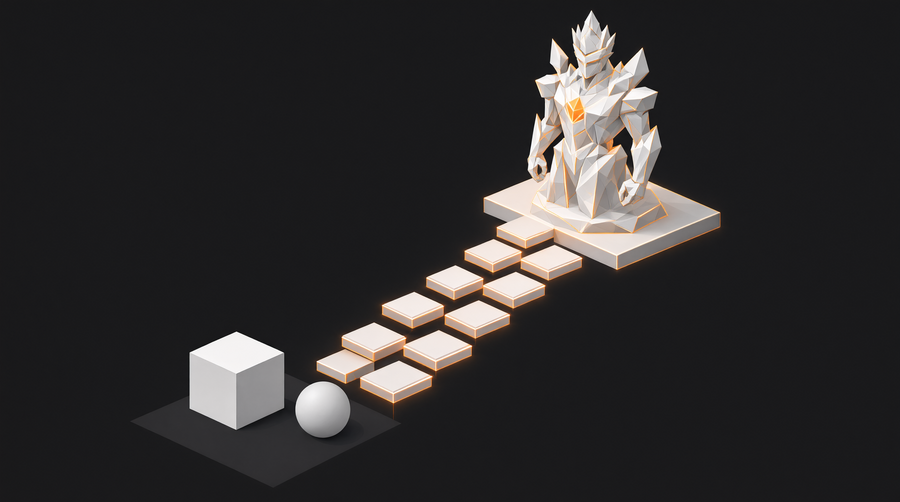
Six-Month Thematic Plan
Month 1 Start: Software selection and first steps—"Blender vs Maya vs 3ds Max—what to choose for a beginner,» interface breakdown, first primitives
Month 2 Modeling Fundamentals Hard surface / organic modeling, topology, common beginner mistakes
Month 3 Texturing and Materials Substance Painter, UV unwrapping, PBR pipeline
Month 4 Rendering and Presentation Light, shot composition, how to format a render for a portfolio
Month 5 Portfolio What to include, case study templates, reviews of subscribers' portfolios
Month 6 First Project and Commission Where to find job listings and commissions, how to price work, briefs, interviews
Ten Content Samples
Example 1 — Blender Hotkey Cheat Sheet
Format: Text + Image (Telegram card)
Post Text:
5 Blender Hotkeys That Save You an Hour a Day
G — Grab/Move Object. Hold and drag with your mouse.
E — Extrude, push out a face. The foundation of 90% of models.
Ctrl+R — Loop Cut, add edges. Essential for topology.
Ctrl+B — Bevel, round the edge. Creates neat edges.
Shift+D — Duplicate. Faster than copy-pasting.
Save this so you don’t have to look for them every time.
Sample 2 — Pipeline Diagram
Format: Text + Infographic
Post Text:
How a 3D asset is born: the journey from reference to render
Reference → Blocking → High-poly → Low-poly with UV → Textures → Final Render.
At every stage, a beginner makes one mistake: they skip blocking and immediately jump into details. As a result, they have to redo everything from scratch.
The card details what happens at each step and what to check before moving on to the next.
Sample 3 — «First Model in 15 Minutes» Cover (Video)
Format: Video (Screencast), Script + Cover
Script (Summary):
0:00–0:30 — What we will do: Create a low-poly sword in 15 minutes.
0:30–2:00 — Blocking: Cube, cylinder, scaling.
2:00–7:00 — Extruding the blade, hilt, and guard.
7:00–12:00 — Chamfers and topology check.
12:00–14:00 — Simple materials and lighting.
14:00–15:00 — Rendering and next steps.
Example 4 — Portfolio Review: «Before/After» Format: Text + Image (Comparison)
Post Text:
Portfolio Breakdown: What Changed in 2 Months
Before: A box with flat colors and harsh lighting. The work is there, but it doesn’t demonstrate skill.
After: The same model, but with wood texture, scratches, soft shadows, and dramatic lighting. The employer sees that the individual knows how to bring a project to completion.
What we did: Added detail, refined the lighting, and composed the frame.
Send us your work in the chat—we’ll review it.
Sample 5 — Job Listings for Beginners Format: Text + Image
Post Text:
Beginner Job Openings — Weekly We’ve gathered 3 positions that do not require commercial experience:
Junior 3D Artist (Props), Remote — Trial task: 1 model based on reference.
Intern Modeler at an Indie Studio — Paid per project.
Freelance 3D Artist for Environment — First assignment for 5–7 days.
In each listing, we detail what they ask for and what to include in your portfolio. Links are in the pinned post.
Sample 6 — Student Progress
Format: Pinterest visual (3 panels)
Caption:
6 Months of Practice: From Blocking to Final Model
Panel 1 — Initial head blocking. Panel 2 — Sculpting after one month. Panel 3 — Final texture and render.
The difference isn’t talent; it’s sequence: model → sculpt → textures → lighting.
Sample 7 — Freelance Pricing Guide Format: Text + Infographic
Post Text:
How to price your first 3D piece and avoid underselling yourself
Benchmarks:
Prop (box, weapon, small object) — starting from X.
Character (low-poly, with textures) — starting from Y.
Environment (scene, multiple objects) — starting from Z.
Charge based on the result, not the hours: factor in revision time and your daily rate. Your first job isn’t about the money—it’s about building a portfolio case study. But you shouldn’t work for free.
Sample 8 — «Real Interview Questions» Cover (Video)
Format: Video (YouTube), Script + Cover
Script (Summary):
0:00–1:00 — What is actually asked for a junior position.
1:00–4:00 — Questions about the pipeline: «What do you do after blocking?»
4:00–7:00 — Questions about the portfolio: «Why did you choose this piece?»
7:00–10:00 — Questions about tools: «What do you use for texturing, and why?»
10:00–12:00 — How to answer if you don’t know.
12:00–13:00 — What to ask the employer.
Sample 9 — Chat Q&A Format: text + image
Post Text:
Answering questions from the chat
«Where do I start if I’ve never opened Blender?» Start with the interface and primitives. For the first week—stick to the cube, cylinder, plane, and transformations. Don’t touch sculpting yet.
«Do I need a portfolio if I’m just learning?» Yes. 3–5 of your best pieces are better than 20 random ones.
«How much should my first commission cost?» Enough so that you aren’t working at a loss. See our pricing guide for benchmarks.
Have your own questions—ask in the chat.
Example 10 — Portfolio Checklist Format: Text + Image
Post Text:
The portfolio checklist that gets you called for an interview
☑ 3–5 best works (not 20 random pieces) ☑ Process breakdown: how you arrived at the result ☑ «Before/After» comparisons ☑ Contact information and social media links ☑ A personal project that demonstrates interest
If you are missing even one point—your portfolio is raw. Check yourself.
Conclusion
VIEWPORT is a media platform that guides newcomers on the journey from «zero to portfolio and first job, ” rather than merely showcasing beautiful renders.
Concept: Focusing on the process, incorporating practice in every post, and building community as part of the product.
Curriculum Outline: Six months—from software selection to securing first commissions.
Content: 10 examples in various formats—cards, diagrams, videos, case studies, and checklists.
Next Steps: Launching the Telegram channel and chat; the first four weeks will follow the Month 1 plan.